Connect
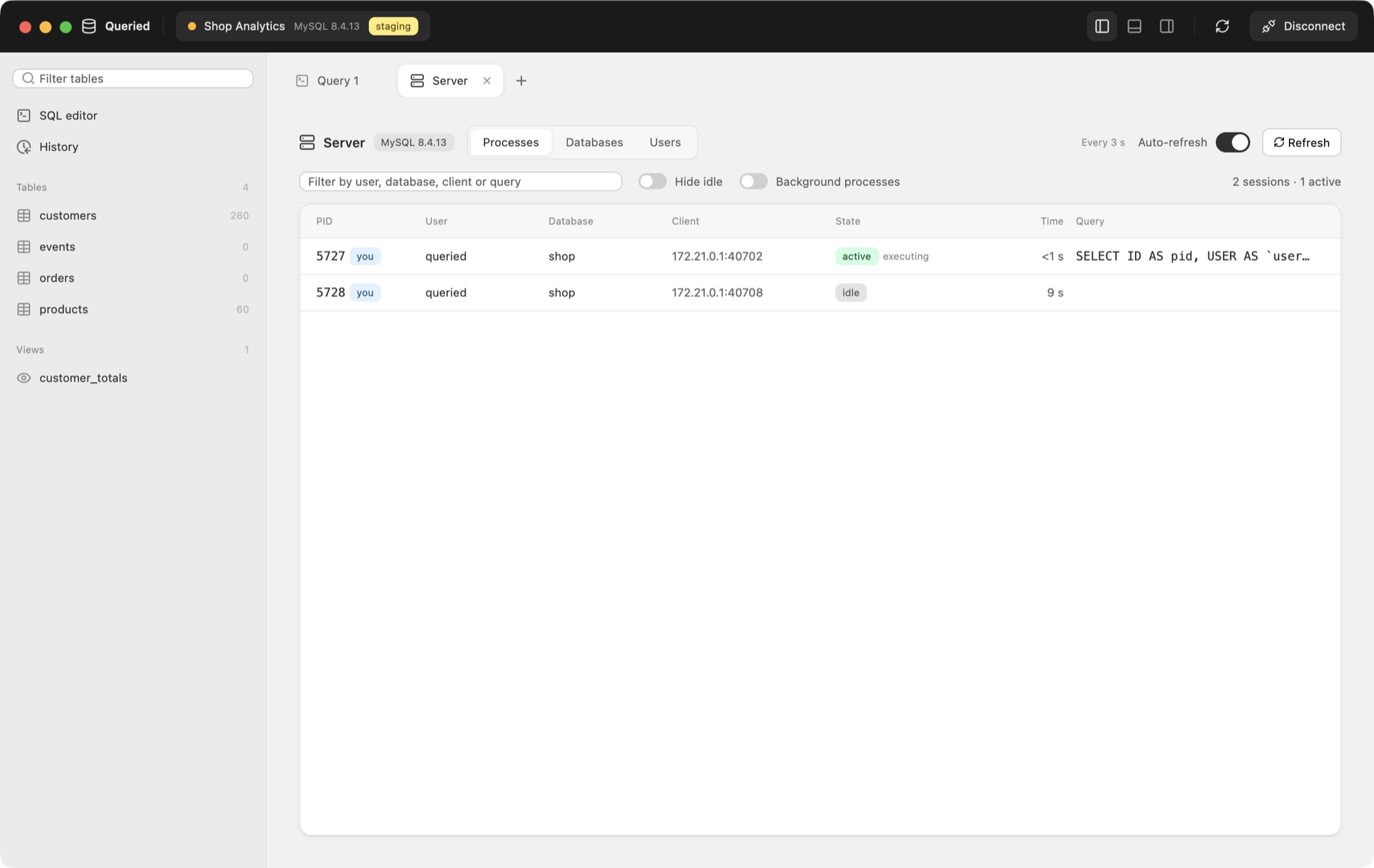
Direct, over TLS with your certificates, or through an SSH tunnel. Passwords stay in the keychain.
TLS 1.3
MacqueriedBastion:22Database:5432
productionstagingdevelopmentlocal
Queried is the database manager for PostgreSQL, MySQL, MariaDB, SQL Server, Oracle, SQLite and Redshift. Browse, query, edit and back up, with nothing else to install.
Windows and Linux versions are coming soon.
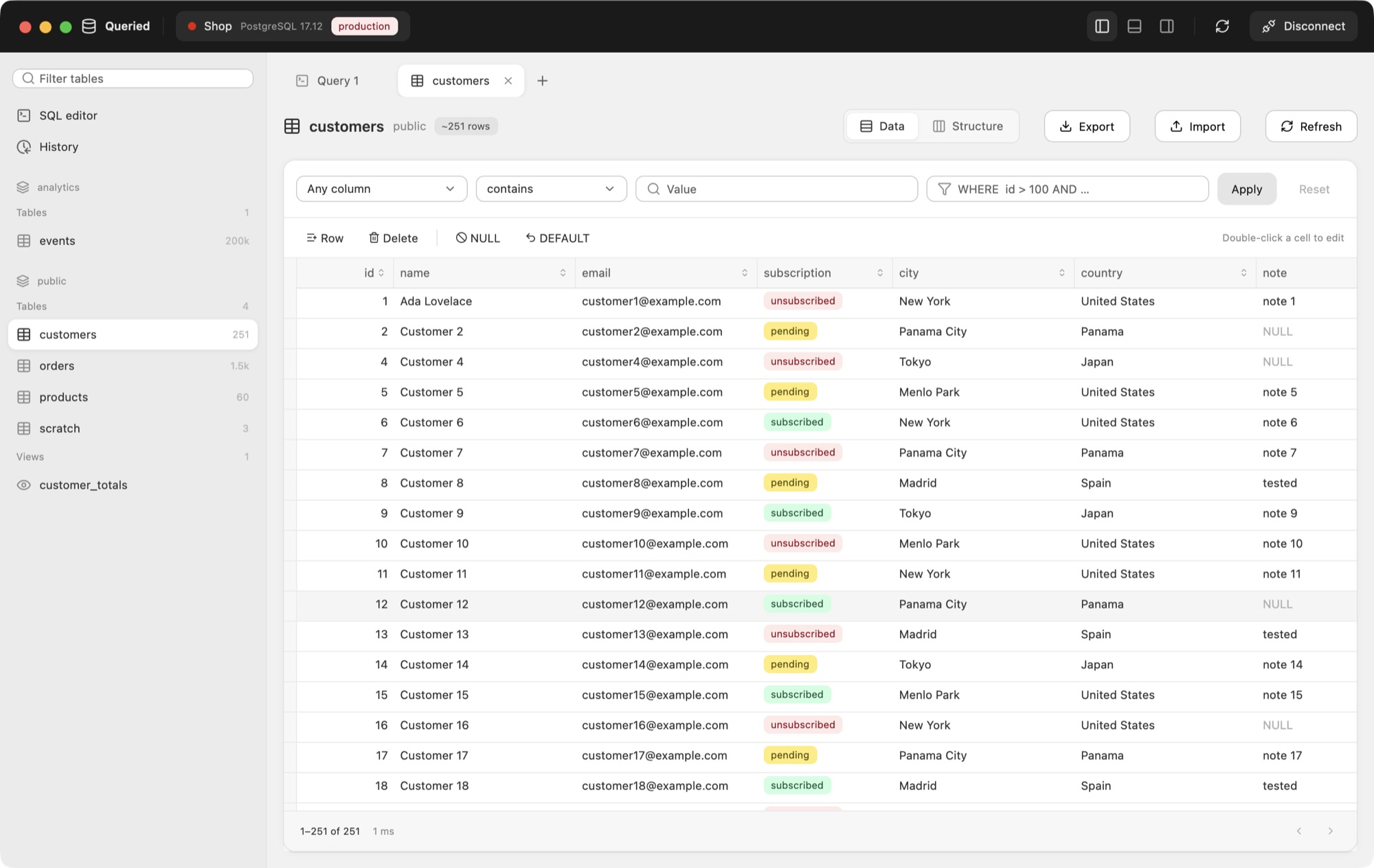
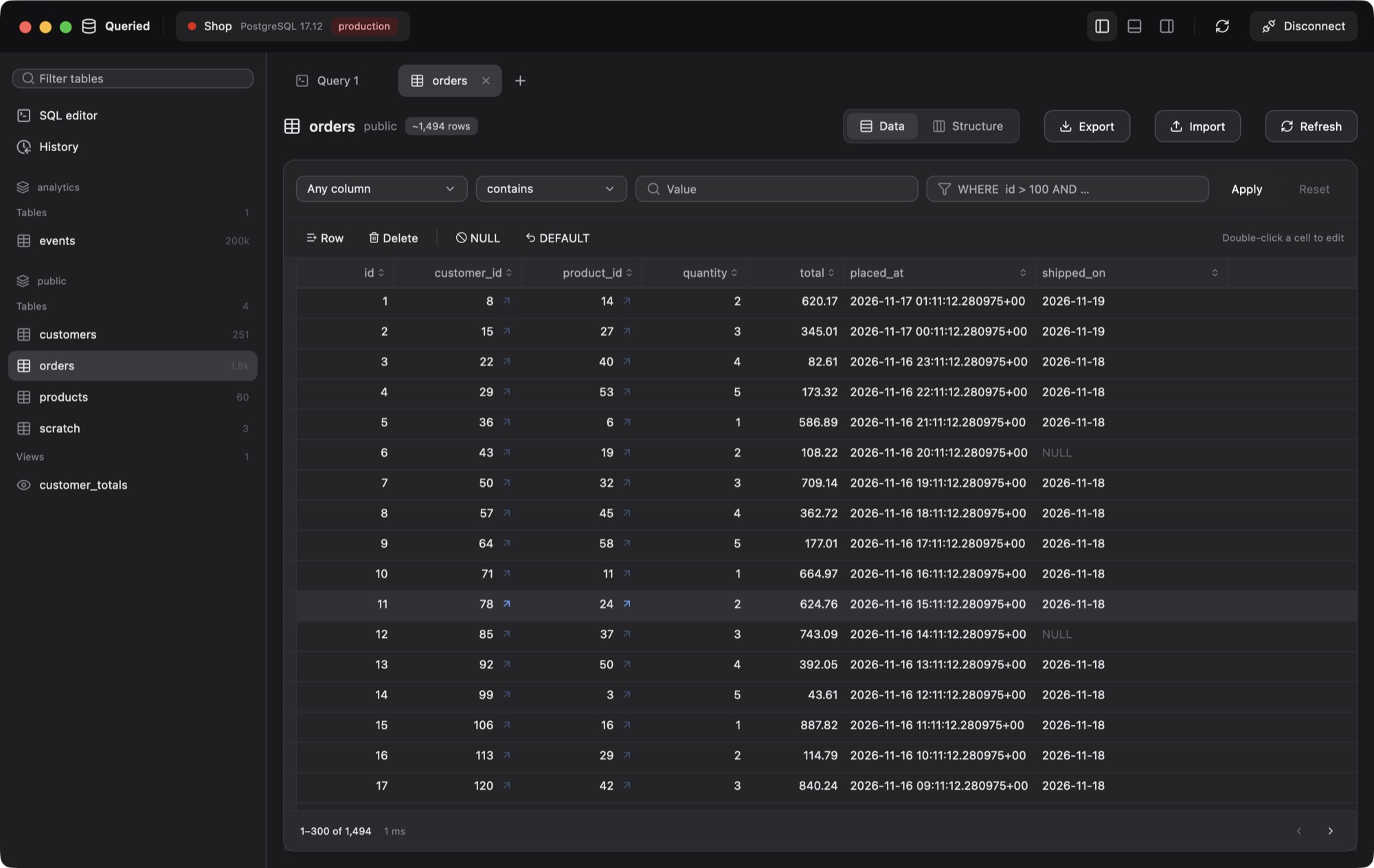
Millions of rows, filtered and sorted on the server, with foreign keys one click away.
One app for all of them. No drivers, no Instant Client, no Java.
Queried covers the whole day with a database: getting in safely, finding what you need, changing it without surprises, and keeping a copy.
Direct, over TLS with your certificates, or through an SSH tunnel. Passwords stay in the keychain.
Schemas, tables and views at a glance. Filter, sort and page through millions of rows; follow foreign keys.
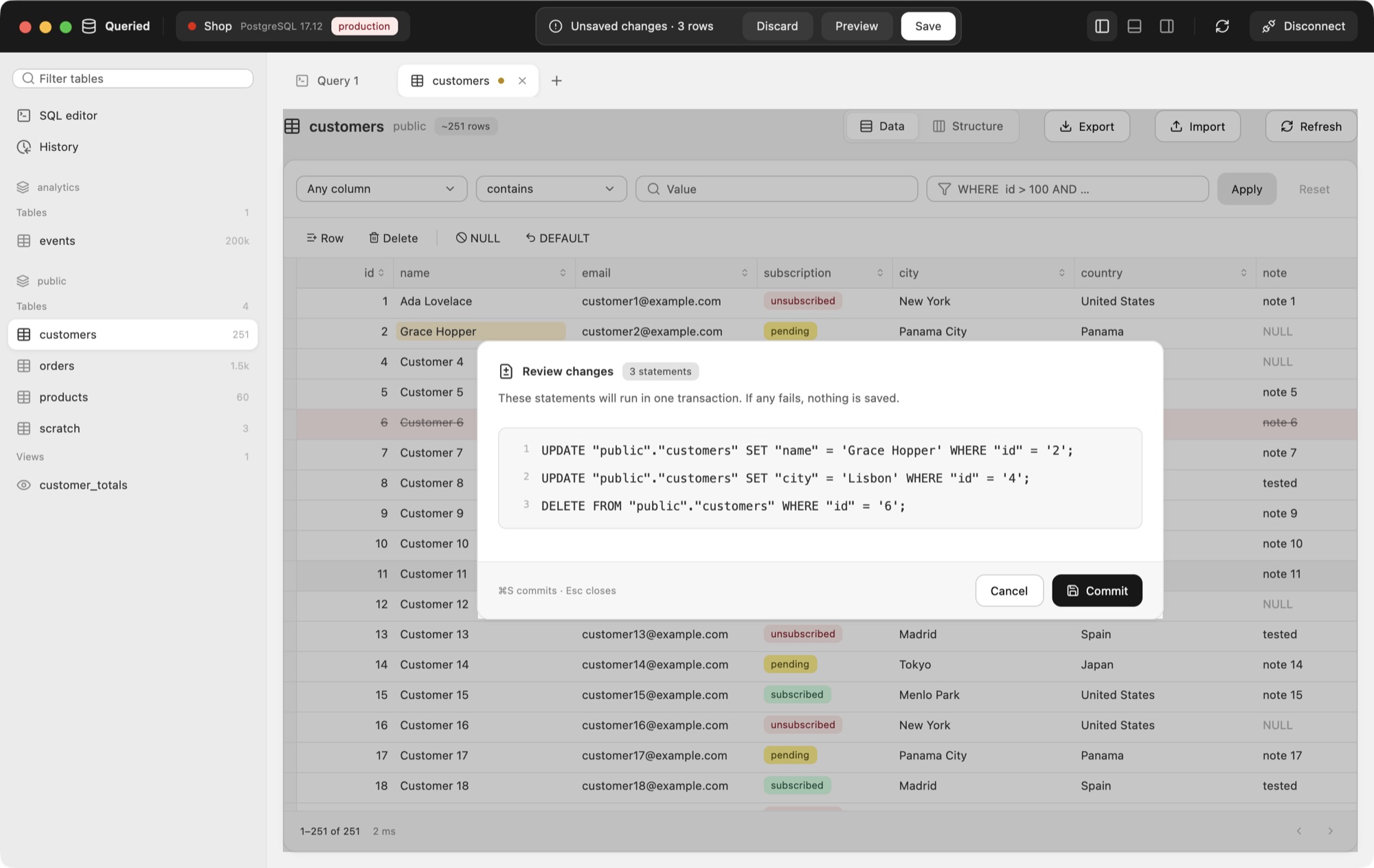
Edit cells like a spreadsheet. Review the exact SQL, then save it all in one transaction.
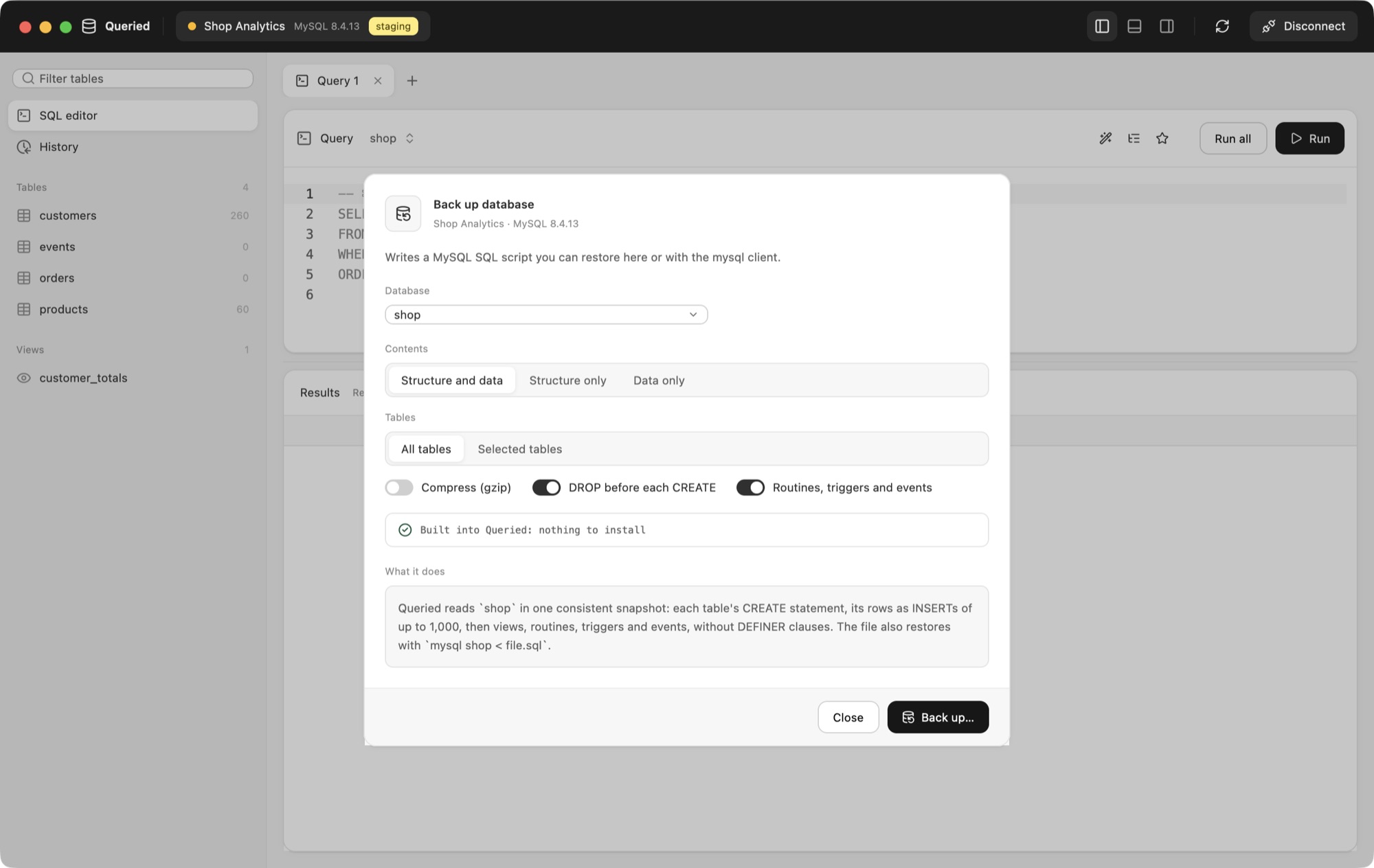
Back up and restore any database, gzip included. Safe mode can ask before every write.
Change cells, add and delete rows, set NULL or DEFAULT. Nothing touches the database until you review the statements Queried wrote and press Commit.
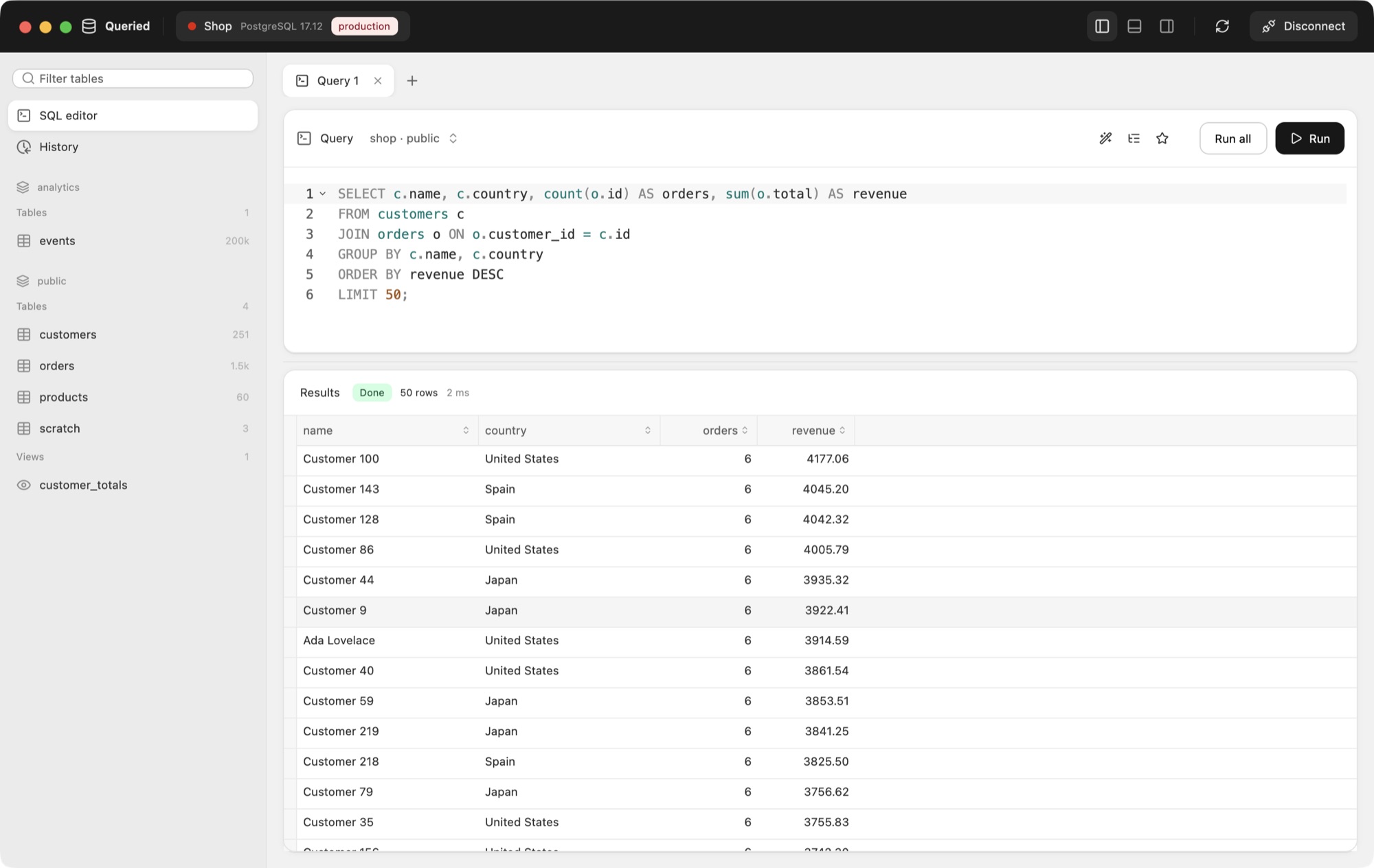
Autocomplete that knows your tables and columns, one-key formatting, history and favorites. Results stream in as they arrive, and Stop really stops the query on the server.
PostgreSQL ships with its own pg_dump inside Queried. MySQL, MariaDB, SQL Server, Oracle, Redshift and SQLite are dumped by Queried itself: consistent, readable SQL you can restore here or anywhere.
Live sessions with what they're running and what they wait on. Cancel a runaway query or end a session. Manage databases, users, roles and grants without remembering the syntax.
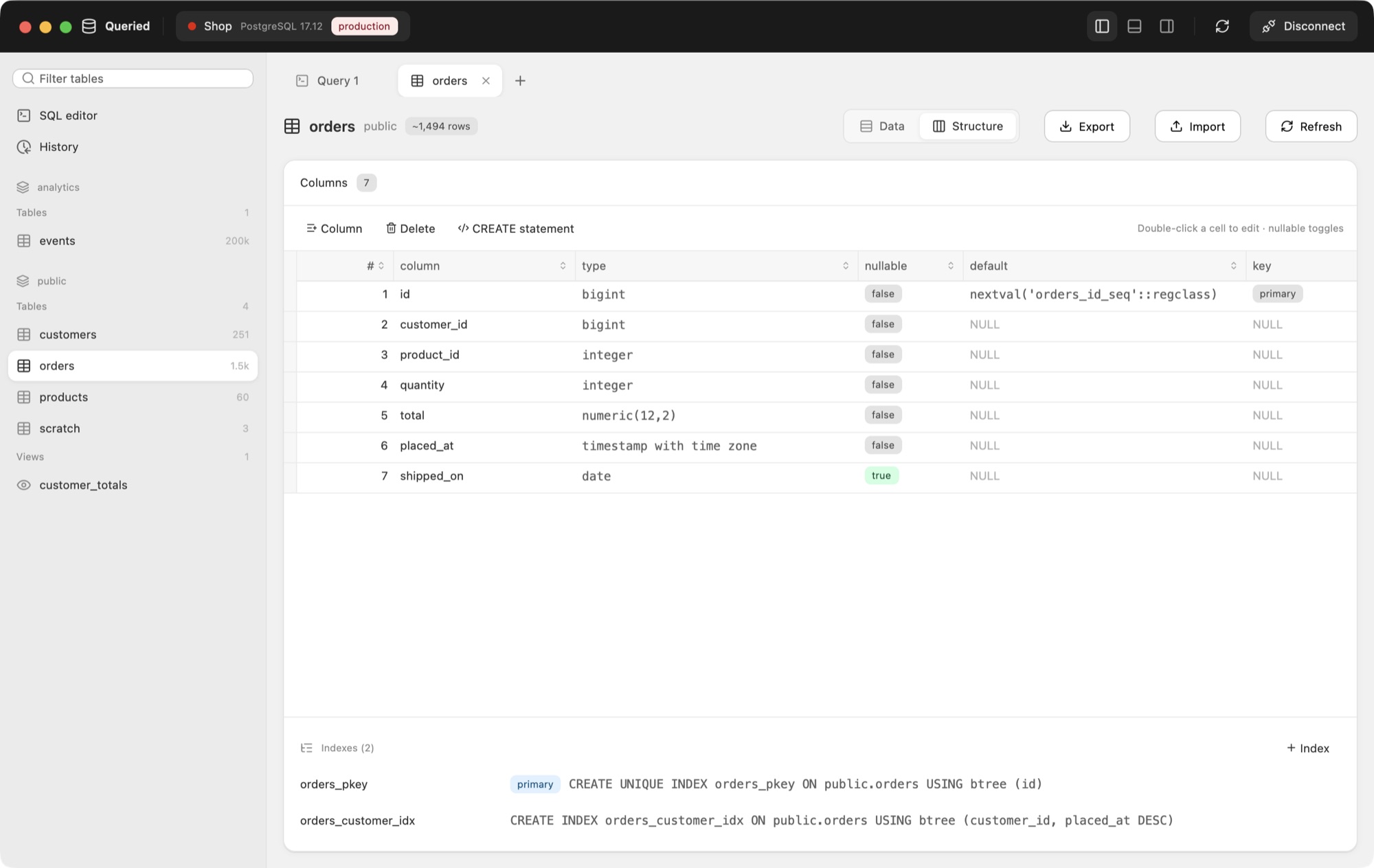
Rename columns, change types, NULL and defaults, add indexes and foreign keys. Queried writes the right ALTER for each engine, even SQLite's table rebuilds, and shows it first.
Key file or password, saved in the keychain. Backups and restores go through the tunnel too.
Prefer, require or verify, with your own CA and client certificates.
Production shows up red everywhere, so you always know where you are.
Confirm every write, or require the database password, per connection.
Import CSV into any table with a column mapping; export results or whole tables.
Open a .sql file and run it statement by statement, MySQL DELIMITER blocks included.
Jump from an order to its customer and back, one click per hop.
Every query you ran, searchable, and the ones you keep, one keystroke away.
Column, operator, value; or type a WHERE clause when you'd rather.
Service name, SID or SYSDBA, with no Instant Client to install.
Install and Relaunch. Signature and notarization are checked; no disk images to drag.
Built in Rust for Apple Silicon and Intel. Opens instantly, stays light.
Light, dark, or whatever macOS is doing. Every color, from the grid to the environment tags, is tuned for both.
No account, no cloud sync, no analytics. Queried connects to your servers and, once a day, checks for an update. That's it.
Import reads TablePlus exports and DBeaver workspaces: hosts, users, SSH tunnels, TLS settings, groups and environment colors. You see everything before it's saved.
 Queried←
DBeaver
PostgreSQL, MySQL, MariaDB, Microsoft SQL Server (and Azure SQL), Oracle, SQLite and Amazon Redshift, all in one app.
No. Every driver is built in, Oracle included, and backups ship with what they need. You install Queried and connect.
Yes. Queried is a universal app for Apple Silicon and Intel Macs running macOS 13 or later, signed and notarized by Apple.
Coming soon. Queried is built on a cross-platform foundation (Rust and the GPU-accelerated UI framework behind the Zed editor), and Windows and Linux versions are on the way. Today it's for macOS.
On your Mac. Passwords go in the macOS keychain, there is no account or cloud sync, and Queried talks only to your databases and, once a day, to its update feed (which you can turn off in Settings).
Yes. Import reads TablePlus exports and DBeaver workspaces, including SSH tunnels, TLS settings, groups and environment colors, and shows a preview before anything is saved.
Back Up writes a file on your Mac: pg_dump (bundled) for PostgreSQL, and Queried's own consistent SQL dumps for MySQL, MariaDB, SQL Server, Oracle, Redshift and SQLite. Restore runs them back, gzip included.
From inside the app. Install and Relaunch downloads the new version, checks Apple's notarization and the developer signature, swaps the app in place and reopens it. No disk images to drag.
Queried, the database manager for Mac.
Windows and Linux coming soon.